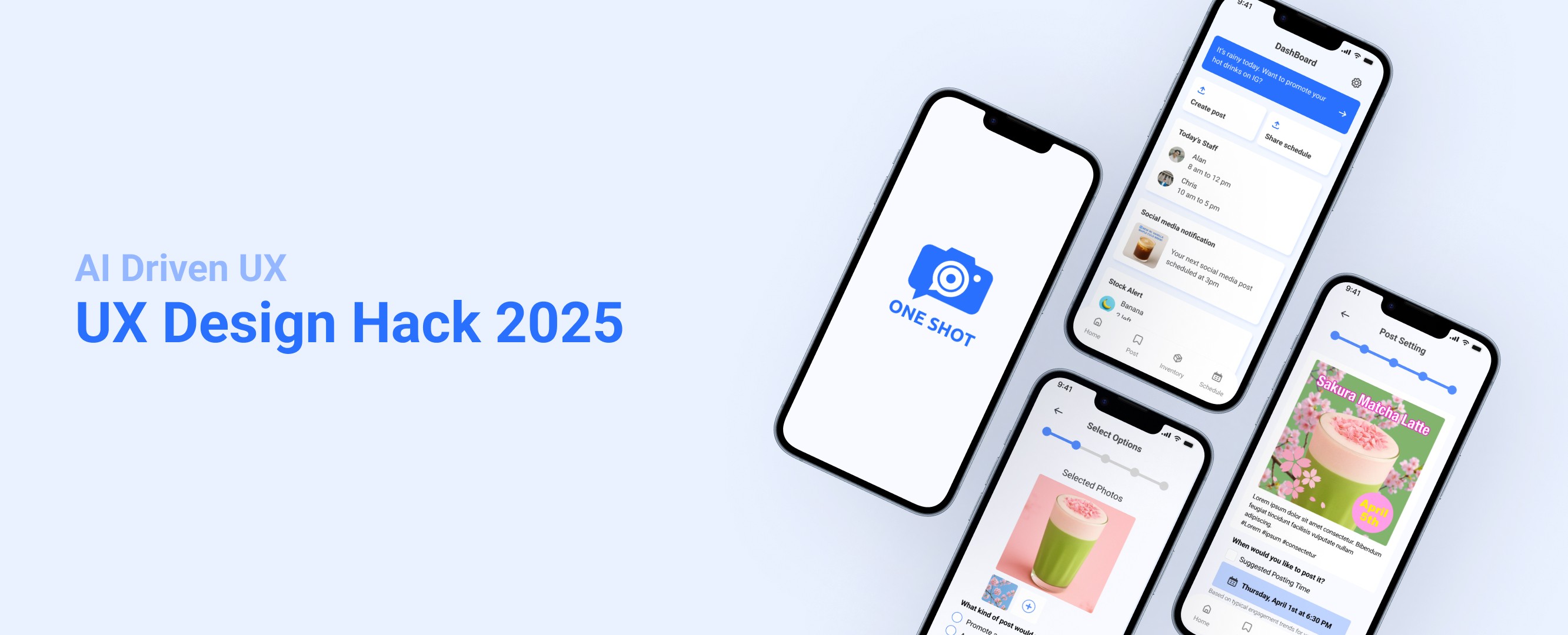
Hackathon
UI/UX Design
Team Project
Role
UI UX Designer
Duration
Hackathon: 1 day
Post-hackathon iteration:
3 weeks (self-directed)
Tools
Figma
Team
4 members
Project Overview
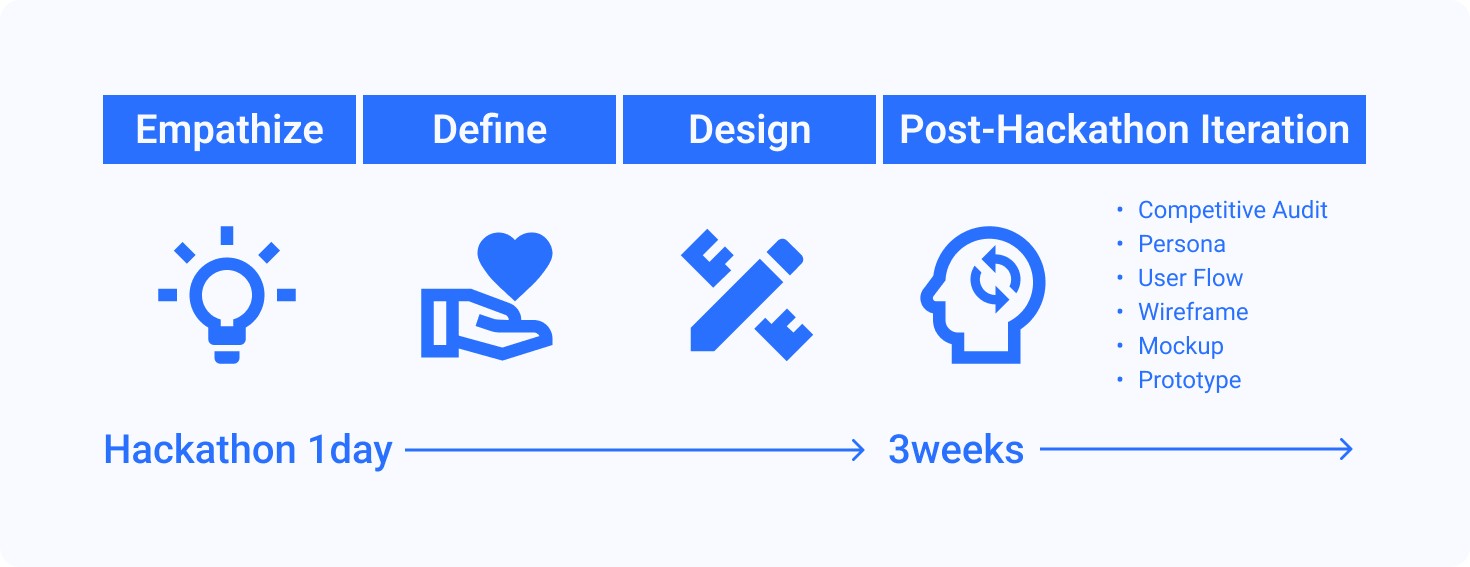
UX & Design Hack is a one-day hackathon in April 2025, in partnership with non-profit organizations such as the Designers Professional of Canada. This no-code event allowed participants to fully focus on creativity and collaboration, developing innovative UX solutions through design thinking.
The theme for the hackathon was “Empowering Local Businesses to Thrive in the Digital Age.” Participants were encouraged to explore solutions that leverage AI or other innovative technologies to support small, local businesses in navigating modern digital challenges.
Our team focused on designing a user-friendly, low-cost digital solution tailored for small business owners who may not be tech-savvy. The goal was to create tools that help attract new customers, encourage repeat visits, and streamline daily operations with minimal stress.
Note: This case study includes both the original prototype created during a one-day hackathon and a refined version developed afterward.
The original concept is shown first, followed by a newly developed user flow, competitive audit, wireframes, and high-fidelity prototype — all presented as part of the Post-Hackathon Iteration in the design process section.
Problem Statement
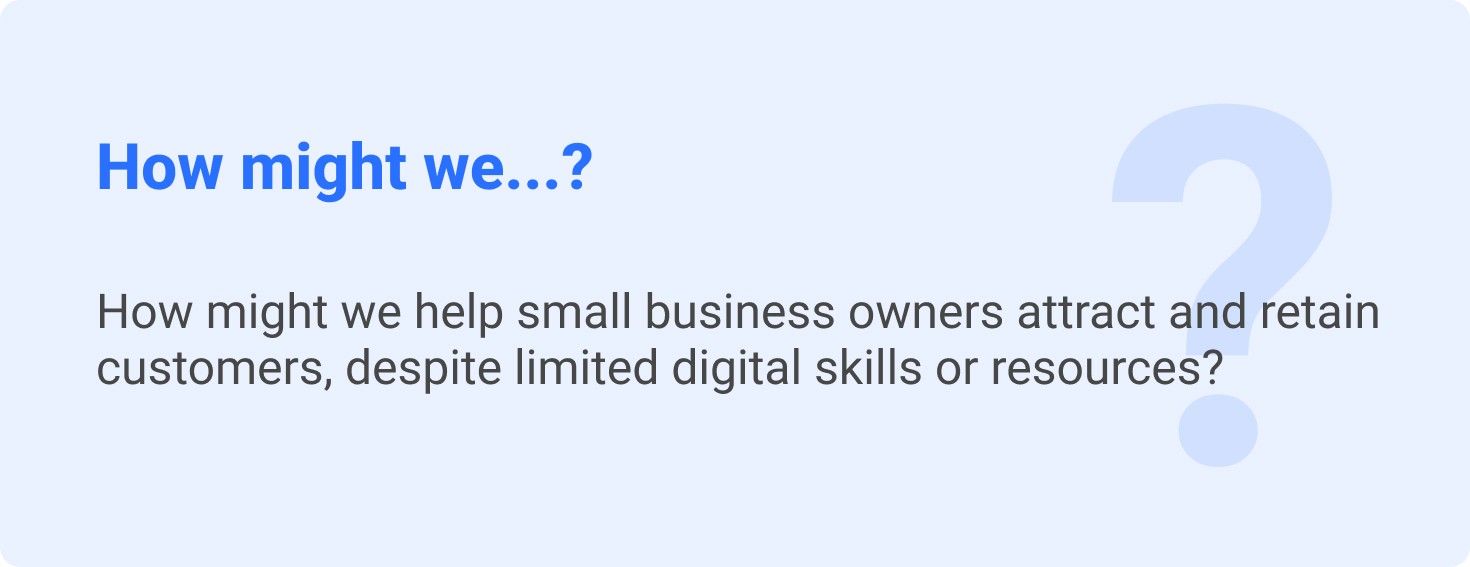
A local business owner struggles to attract and retain customers due to limited online engagement. With limited digital skills and resources, they seek affordable and effective ways to increase customer traffic and encourage repeat visits.
Challenges
The challenge was to help small business owners attract and retain customers despite lacking the technical knowledge required to adopt digital tools effectively. Additionally, it was important to design a digital solution that is both sophisticated and simple enough to scale across a wide range of small business types.
Solution
To address these needs, our team developed the Marketing Campaign Generator — an AI-powered tool that creates marketing campaigns from the ground up, whether it's a single post or an entire campaign.
Based on user input, the AI generates tailored content along with a suggested posting timeline to help streamline the marketing process.
In addition, the tool tracks post performance on social media, and the data is used to continuously optimize future campaigns through AI-driven adjustments and recommendations.
Design Process
Empathize
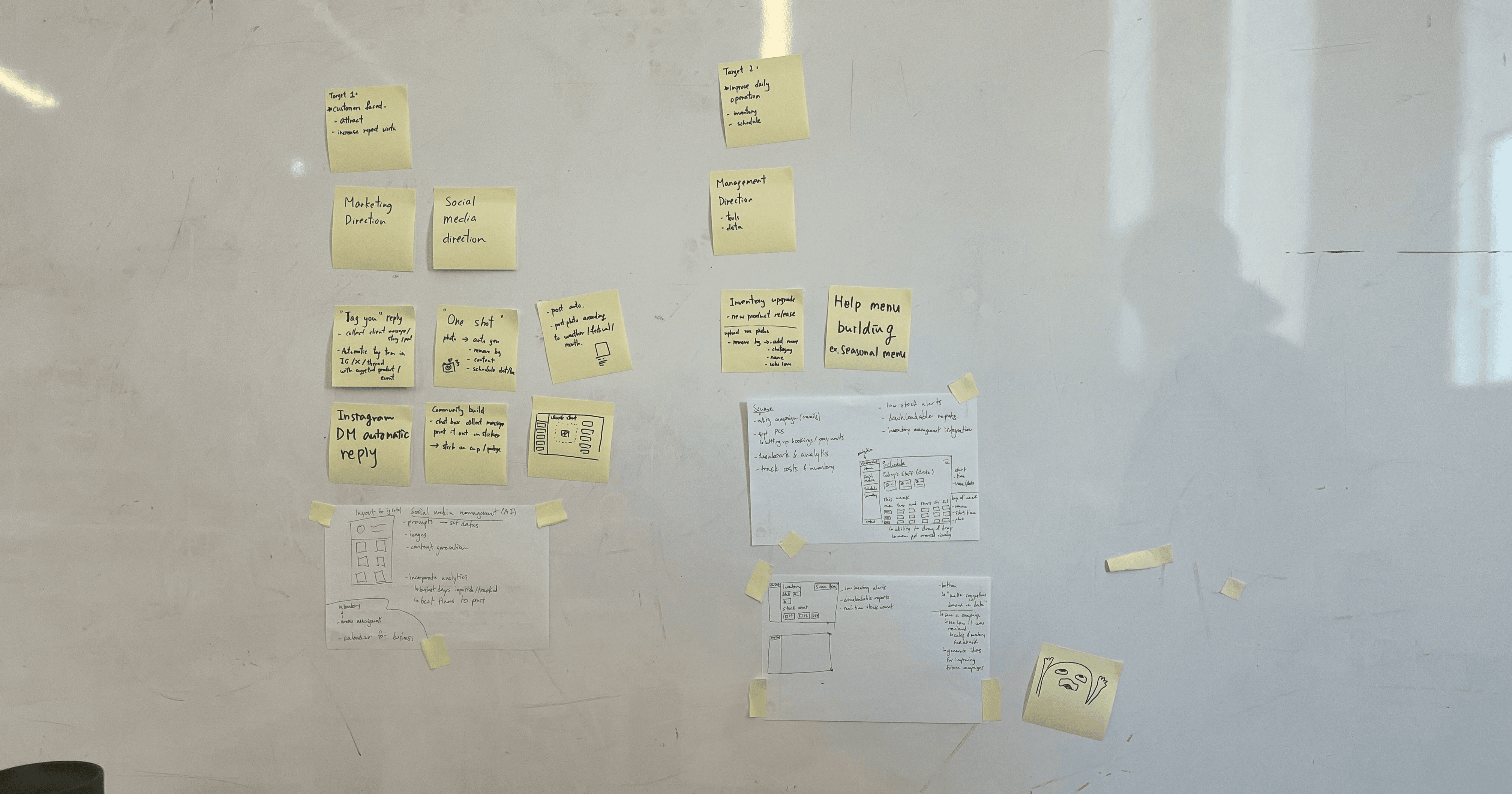
Brainstorming
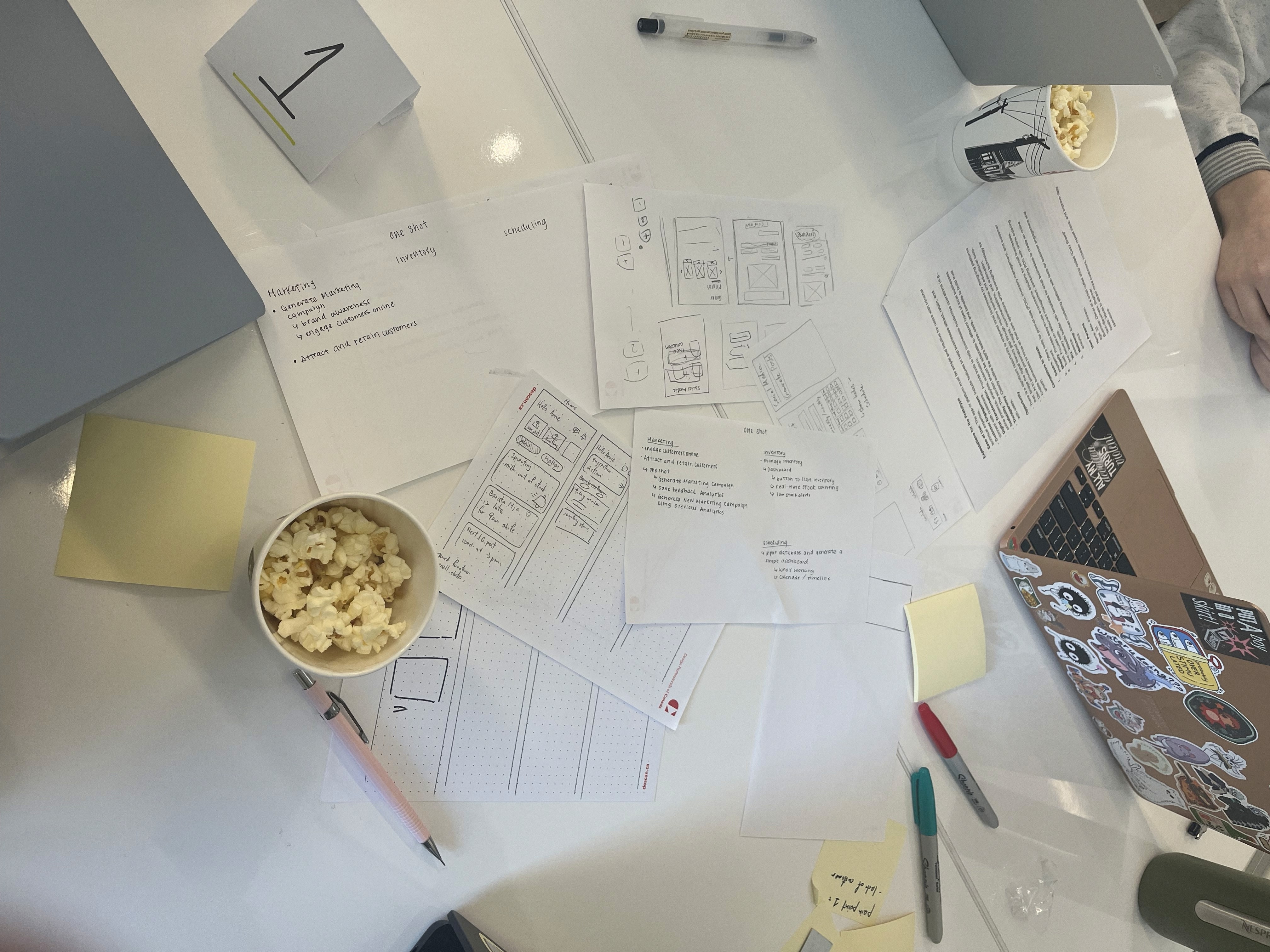
To explore possible directions, our team held a quick brainstorming session. We mapped out sketched out potential ideas collaboratively.
Define
Design
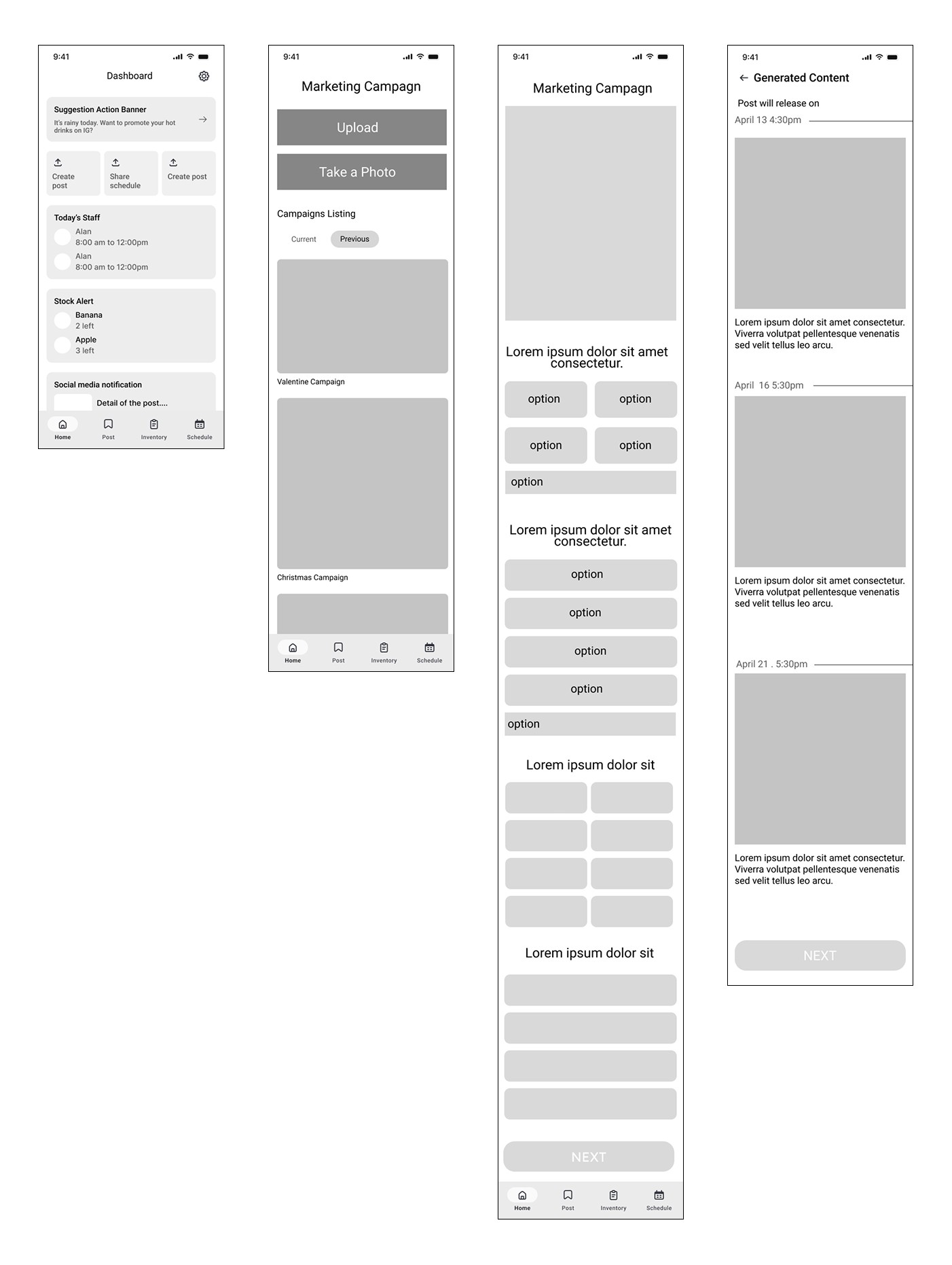
Wireframe
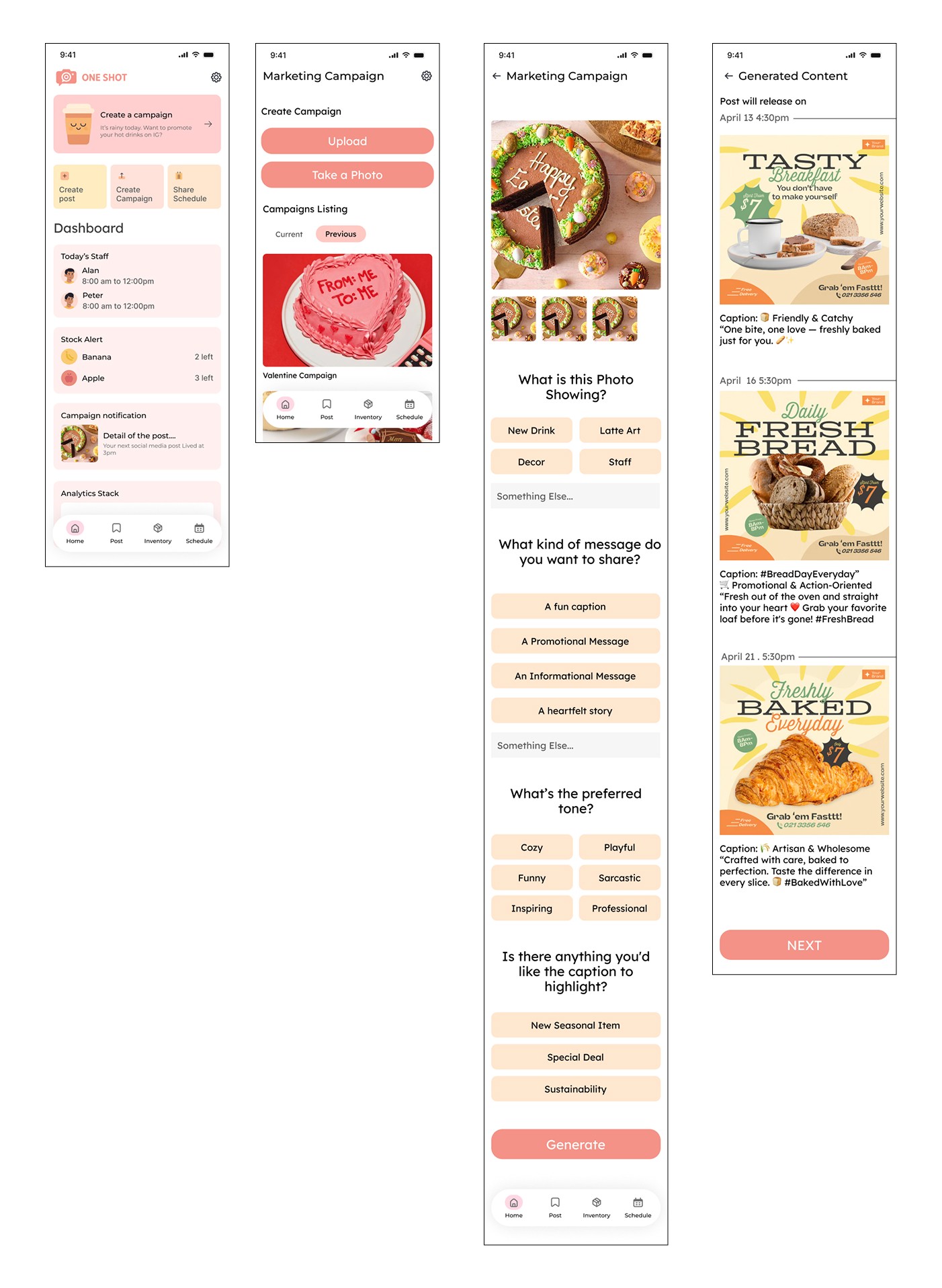
Mockup
Post-Hackathon Iteration
As part of the Post-Hackathon Iteration, I revisited the entire design process to deepen my understanding of the problem space and user needs.
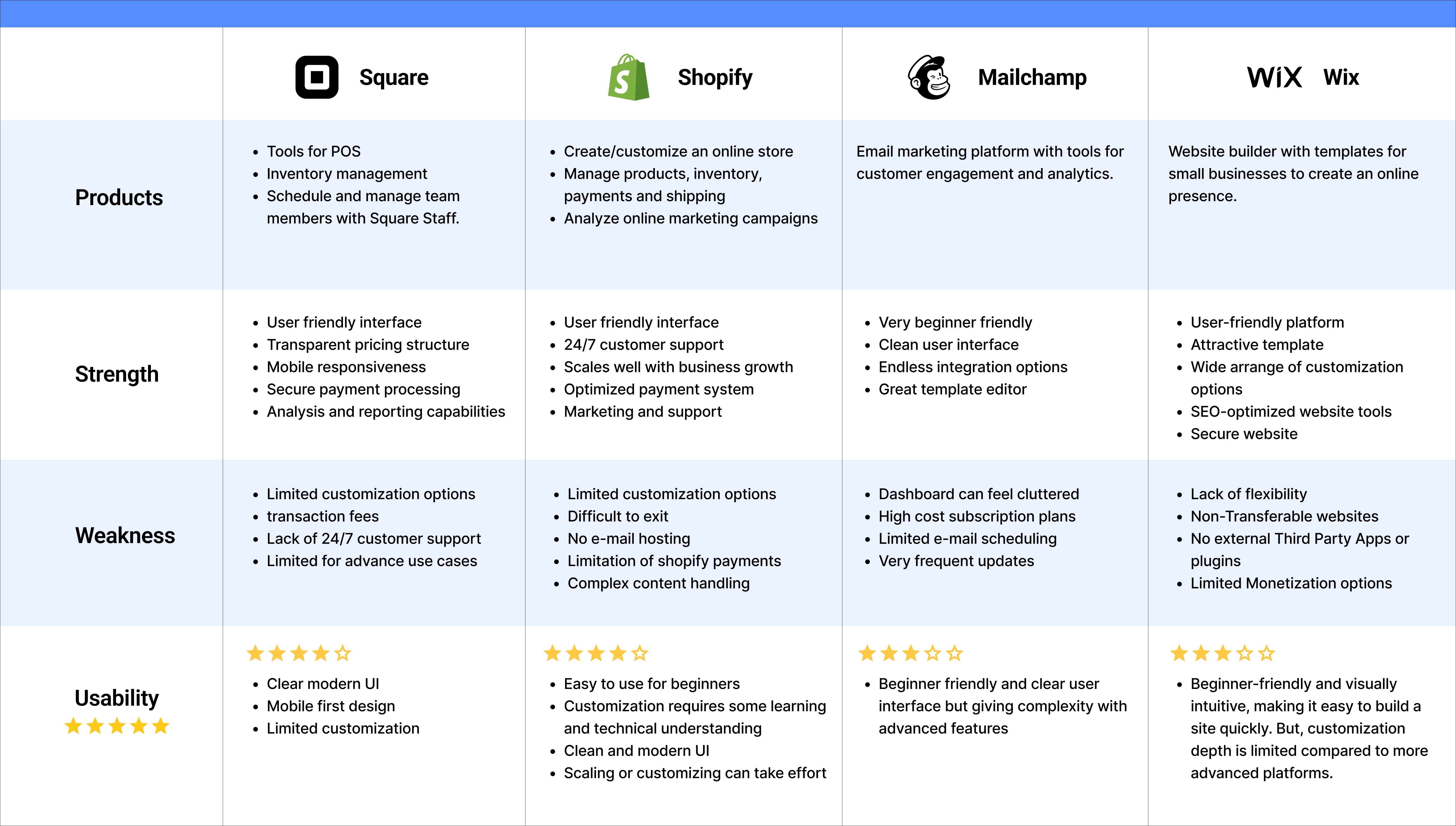
Competitive Audit
I researched major platforms again — including Square, Shopify, Mailchimp, and Wix — to assess their products, strengths, weaknesses, and usability.
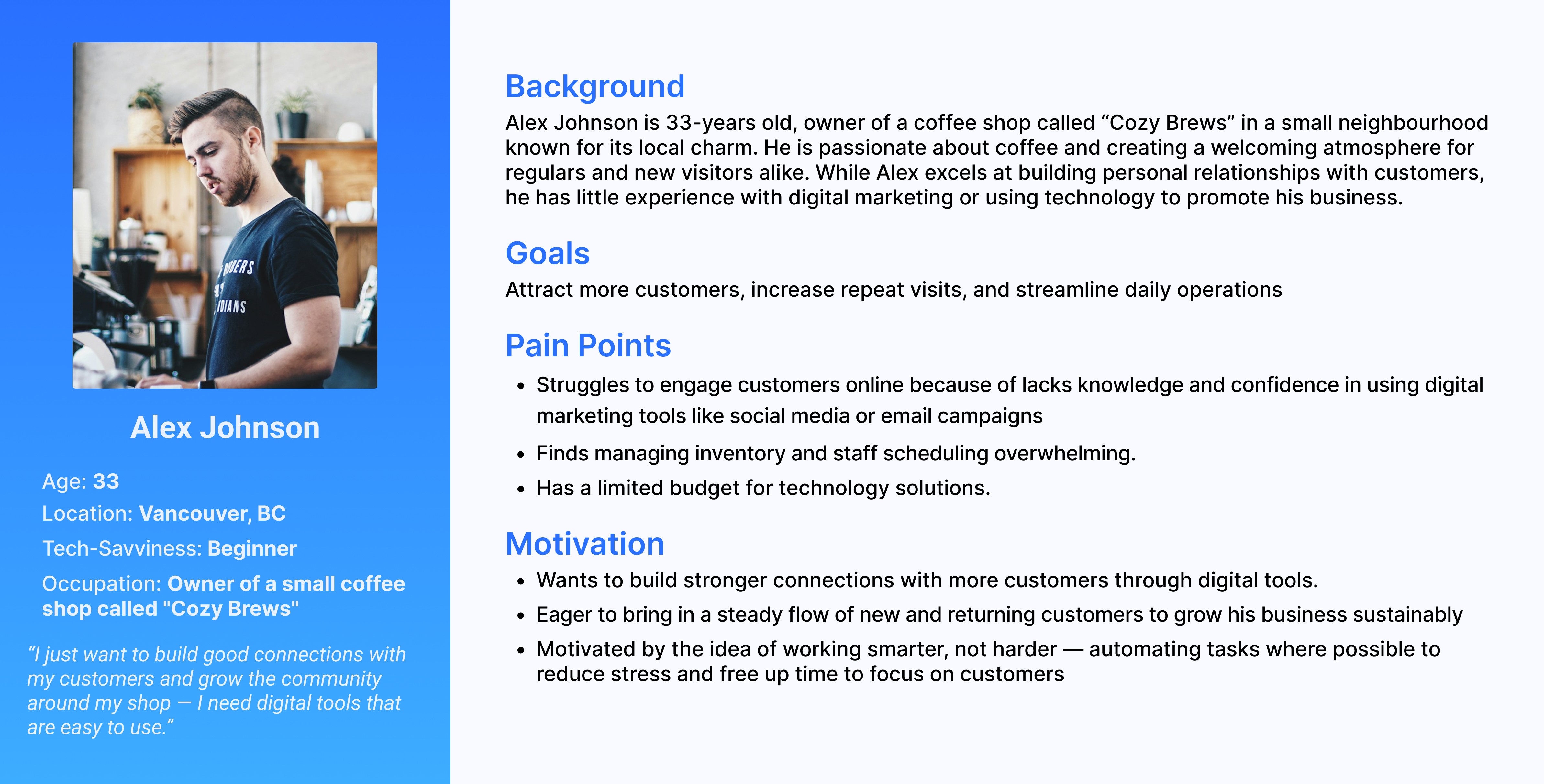
Persona
User Flow
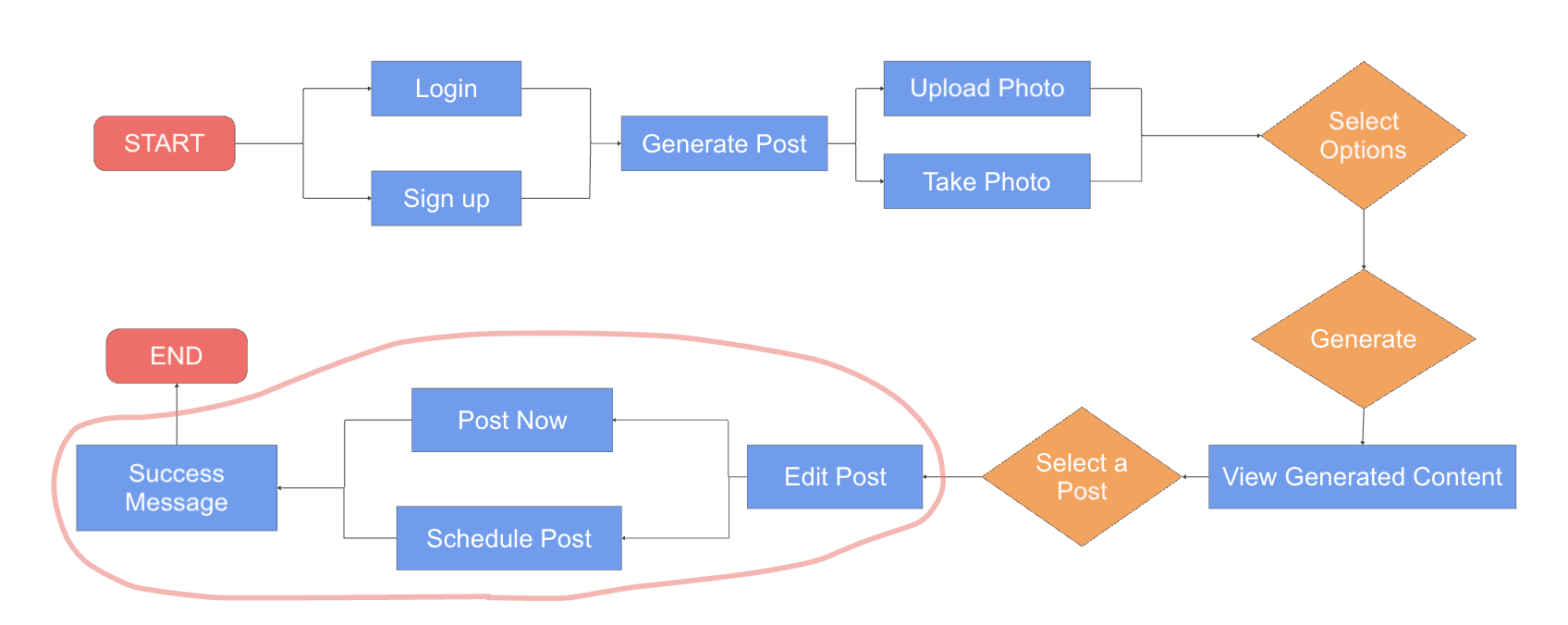
After reviewing the initial user flow, I identified a missing step that would allow users to edit the generated content and schedule or post. I added this section (highlighted in red) to ensure a smoother and more flexible posting experience. This also aligns with small business users’ needs for control and clarity when using AI-generated content.
Wireframe
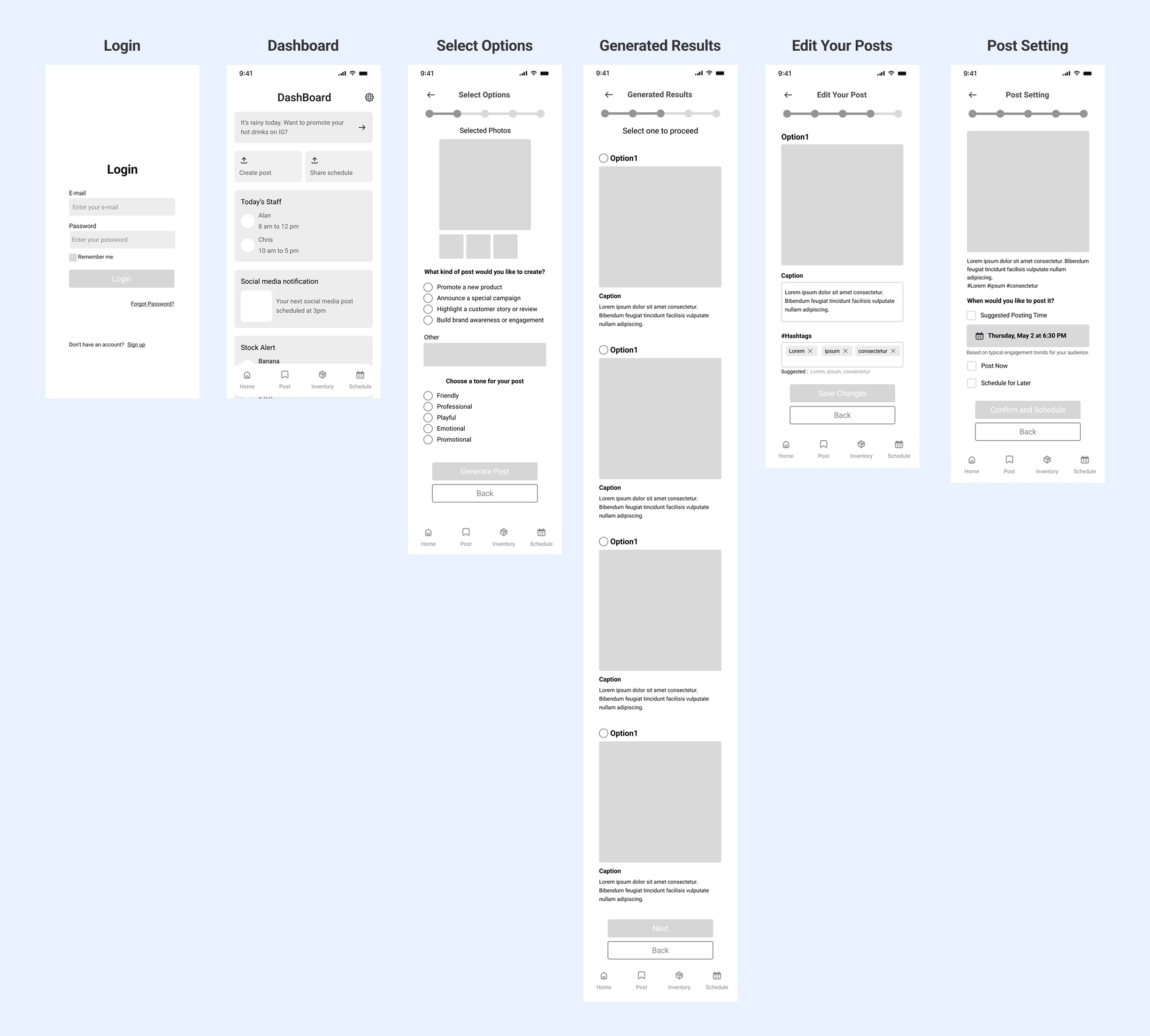
Improved Navigation with a Progress Bar
To help users stay oriented throughout the multi-step posting process, I introduced a progress bar at the top of each screen. This visual cue makes it easier for small business users — especially those less tech-savvy — to understand where they are and what comes next, enhancing overall usability and confidence in the flow.
Styleguide
Color Rationale
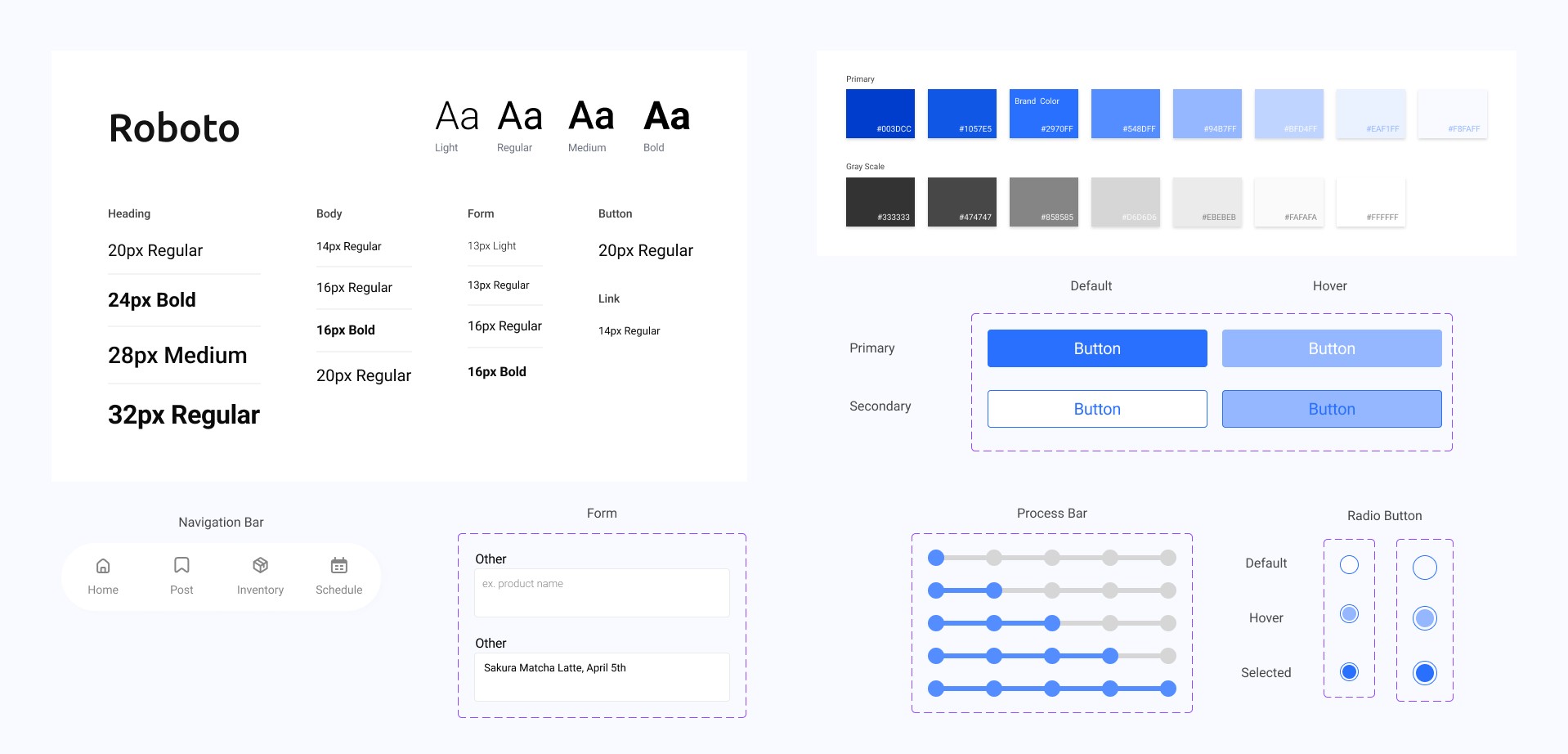
While the original hackathon prototype used a pink theme, I transitioned to a blue-based palette in the post-hackathon redesign. Blue was chosen as the primary brand color to convey a stronger sense of professionalism, trust, and credibility — aligning better with the needs of small business users seeking dependable tools.
Mockup
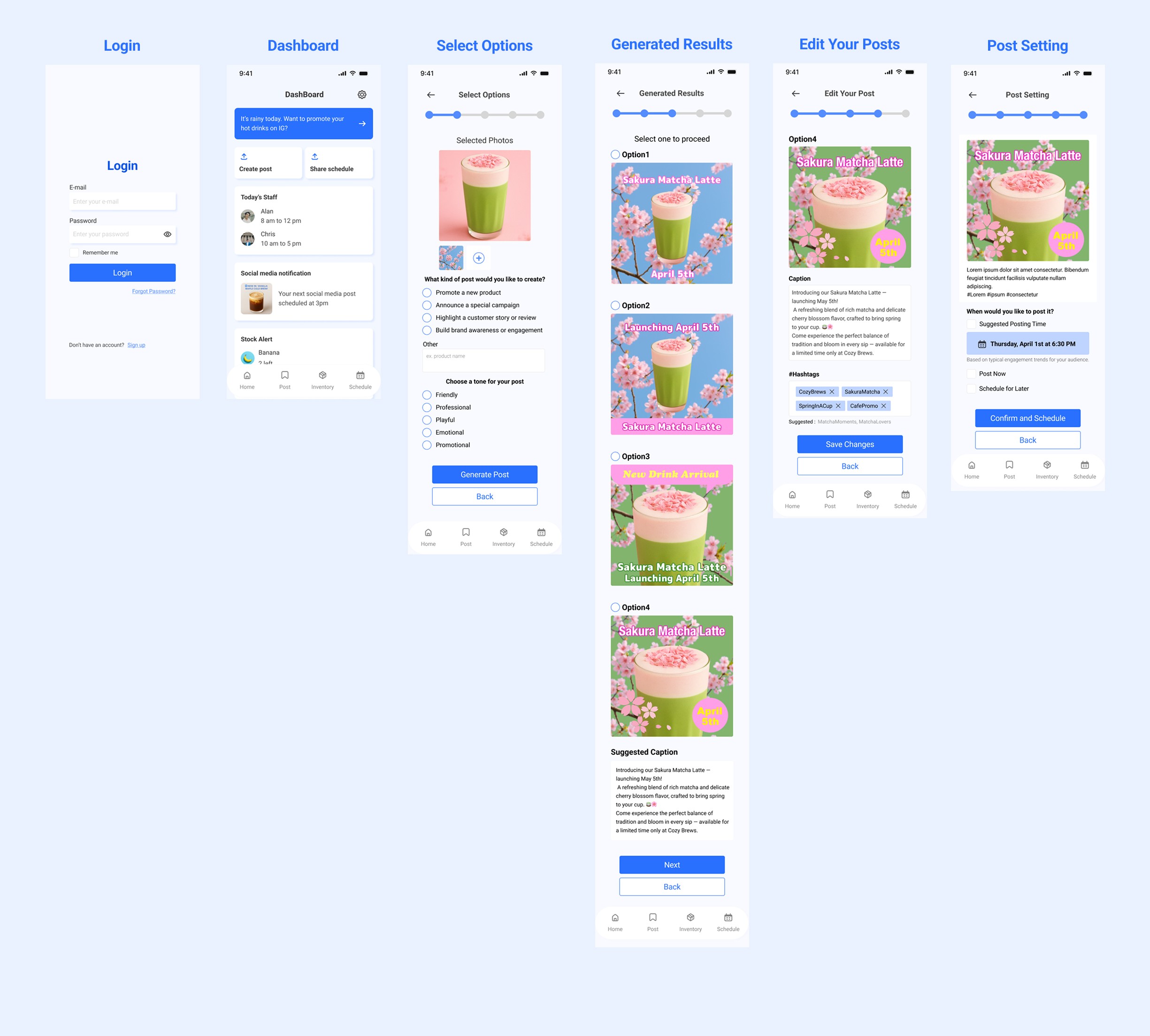
Prototype
Takeaways / Reflection
Learned to collaborate efficiently, prioritize tasks under pressure, and make quick, user-centered design decisions during the hackathon.
Strengthened both design thinking and communication skills through real-time teamwork.
Gained new perspectives by observing how teammates structured discussions and synthesized input.
After the hackathon, revisited the project with deeper research and refined the user flow to better align with user needs.
Evolved both wireframes and visual design (including color palette) in the post-hackathon phase.
This process was a valuable opportunity to transform the original concept into a more polished and user-centered solution.