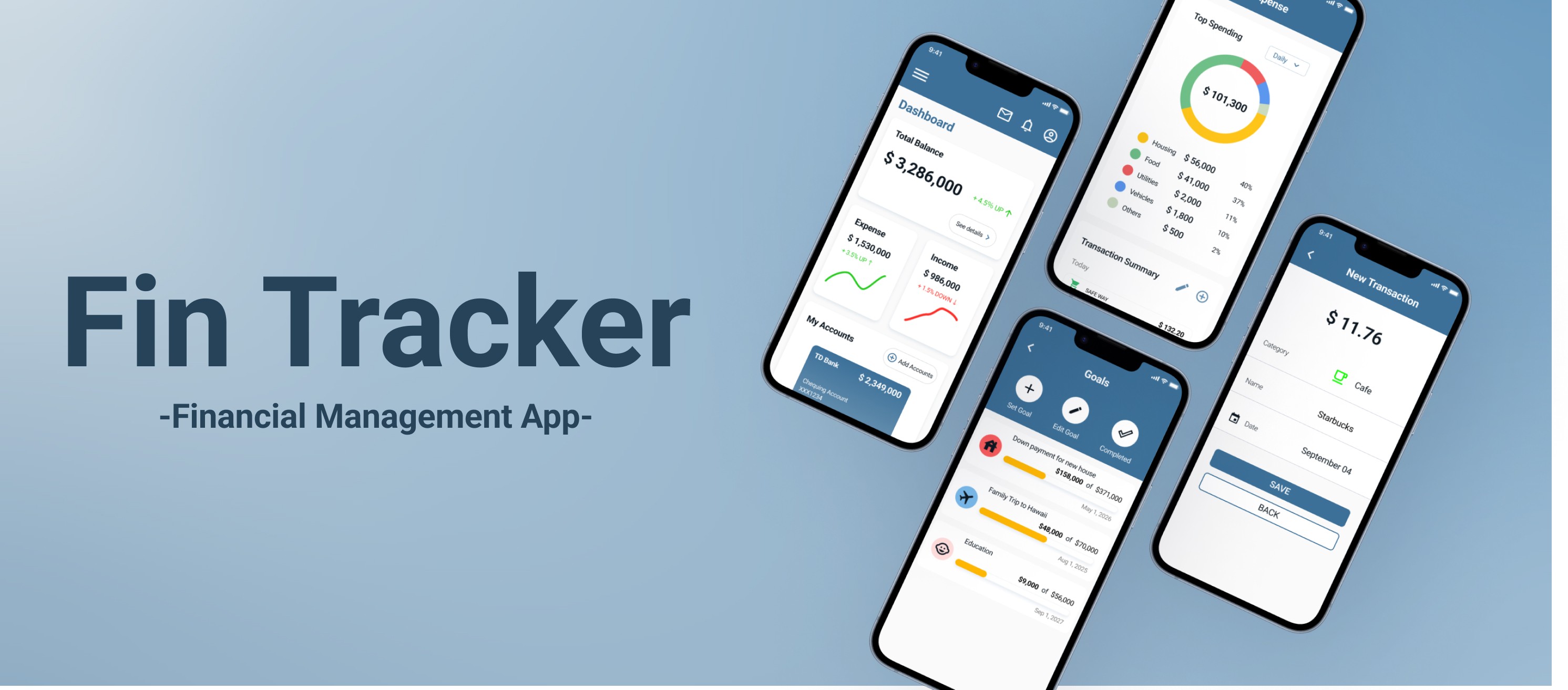
UI/UX Design
Personal Project
Role
UX Designer
Duration
3 months
Tools
Figma, Google Form
Team
Personal
Background
Many financial apps overwhelm users with excessive features and complex navigation, making it challenging to manage finances effectively. This app is aimed at users seeking a simpler solution for managing their finances without stress. Inspired by competitor analysis, this project focused on creating an easy-to-use financial tool.
Objective
Our goal is to develop a simple integrated financial management tool offering stress-free experience for users.
Design Process
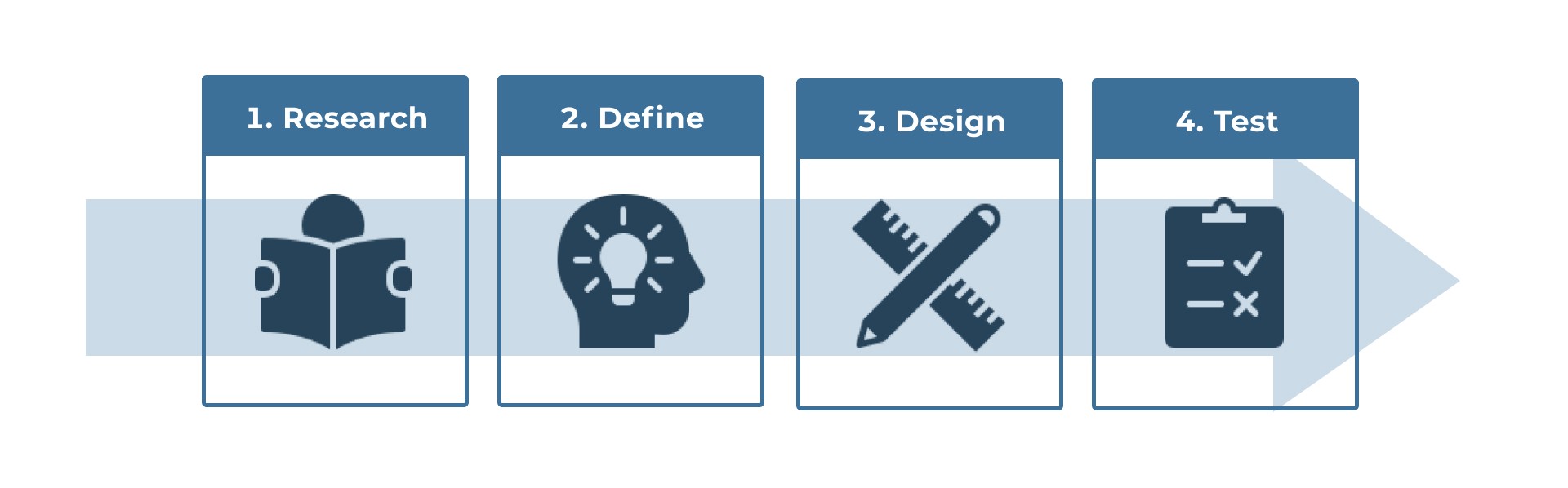
Research
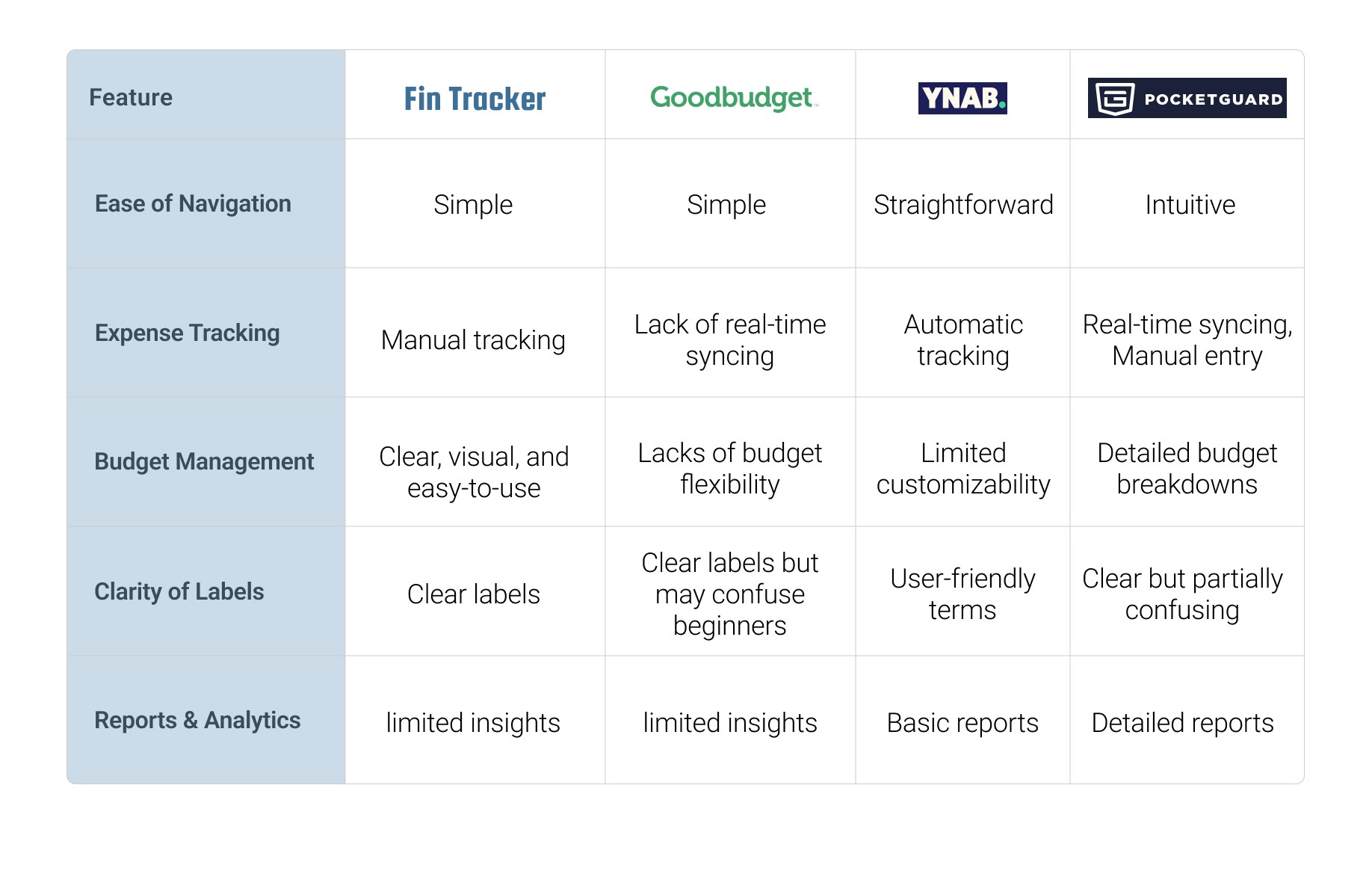
Competitor Analysis
To understand the strengths and weaknesses of existing financial management apps, I conducted a competitor analysis. This process helped identify industry standards and opportunities for differentiation, guiding the design to better meet user needs.
Define
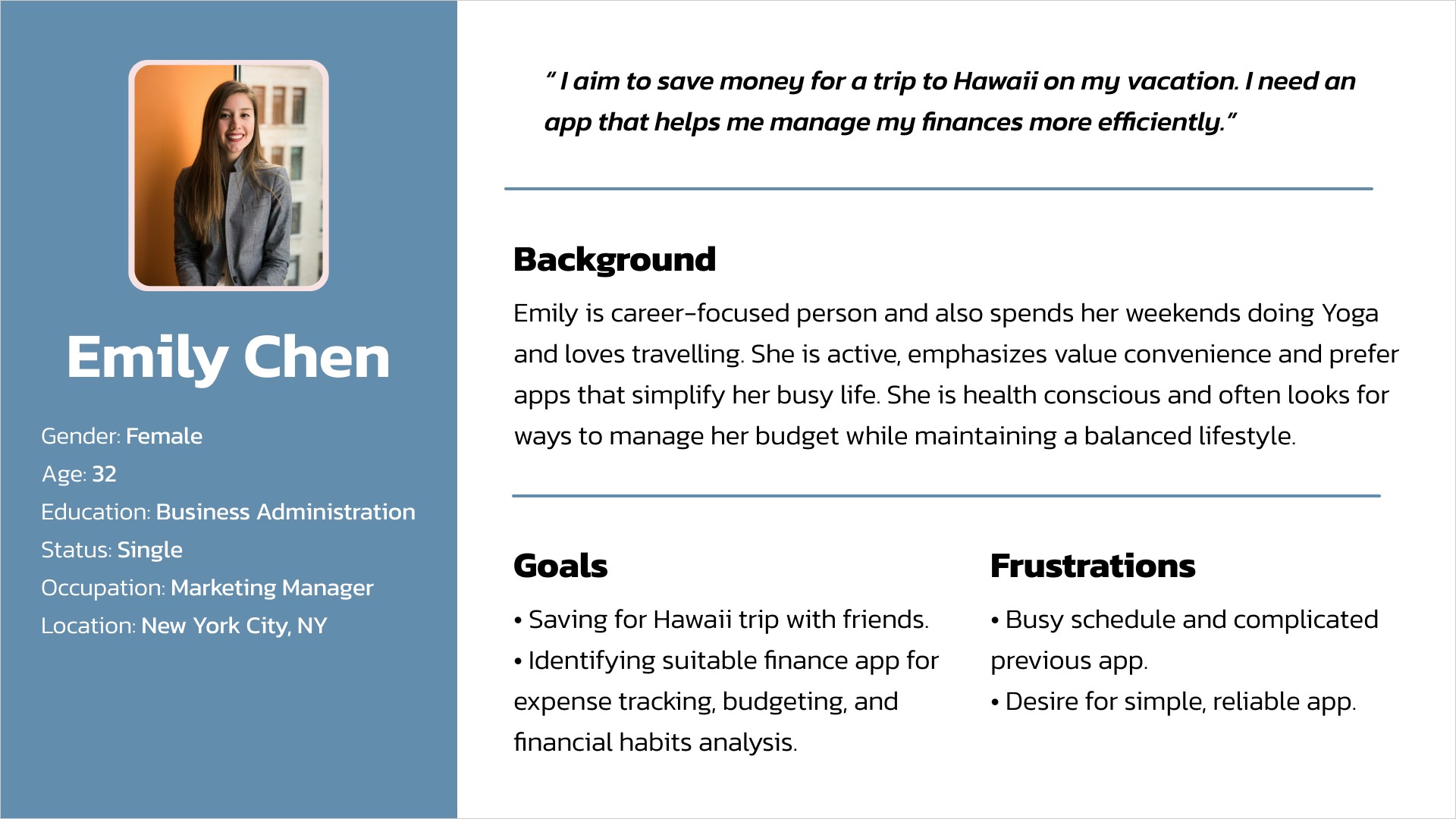
Persona
To better understand our target users, I created a persona based on data gathered from competitor analysis. This persona represents typical user needs, goals, and pain points, helping guide design decisions throughout the project.
Story Boarding
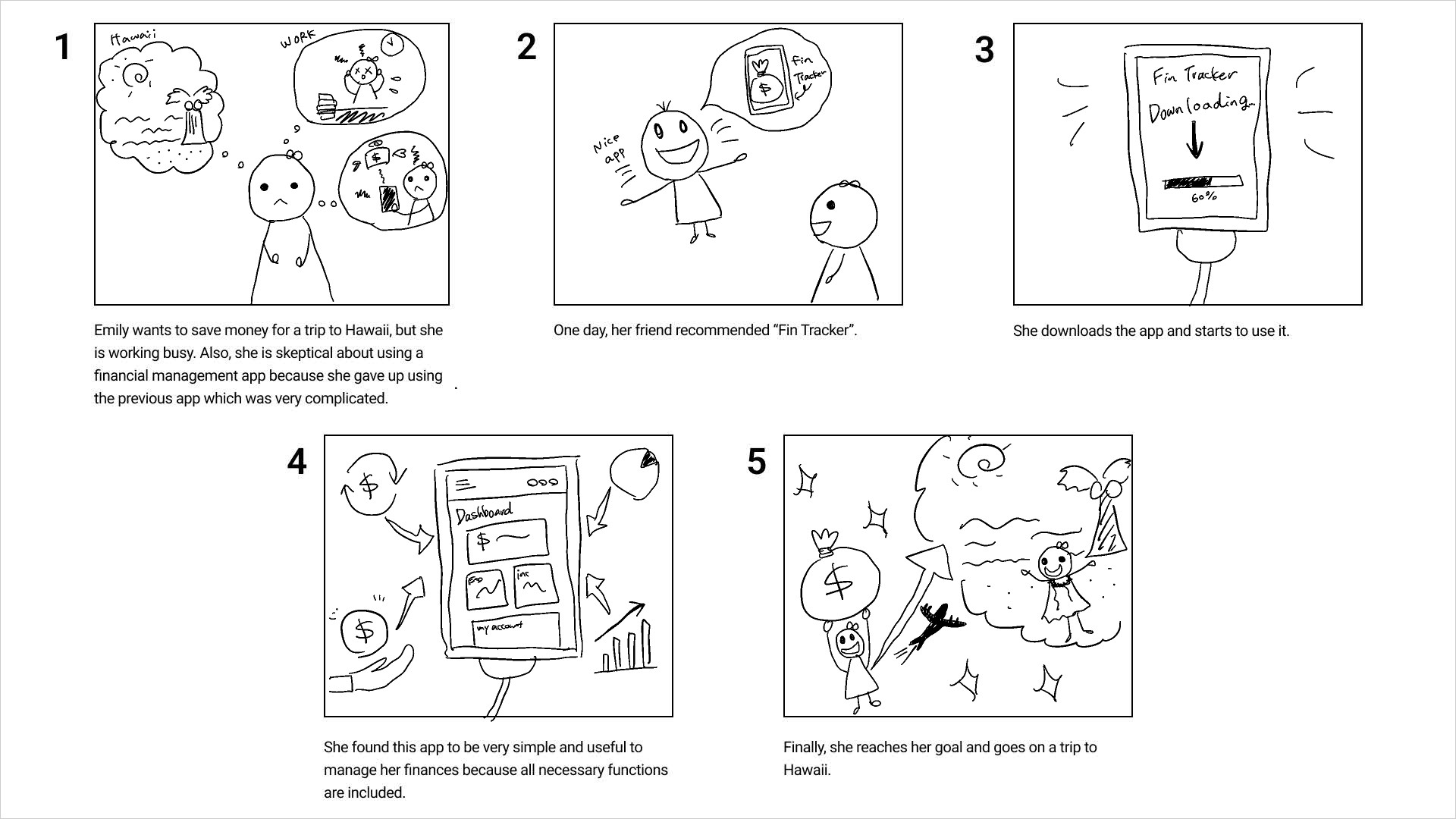
Using storyboarding, we visualized a typical user's journey while interacting with the app. This technique helped us identify opportunities to enhance the user experience through relatable scenarios.
User Journey Map
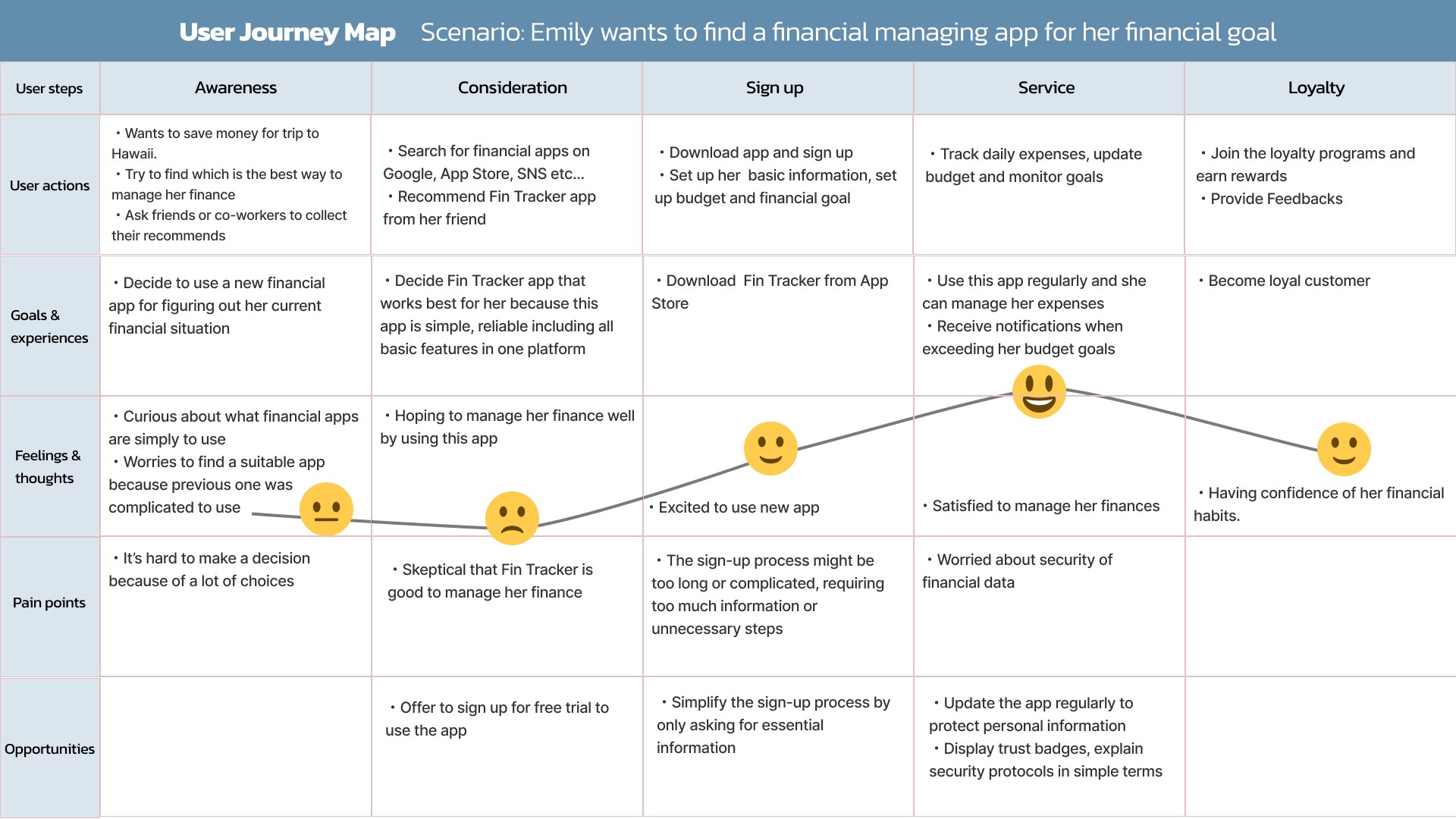
The user journey map outlines the steps a user takes when interacting with the app, from discovering it to completing their financial goals. This mapping process highlighted areas for improvement in navigation and task completion efficiency.
Design
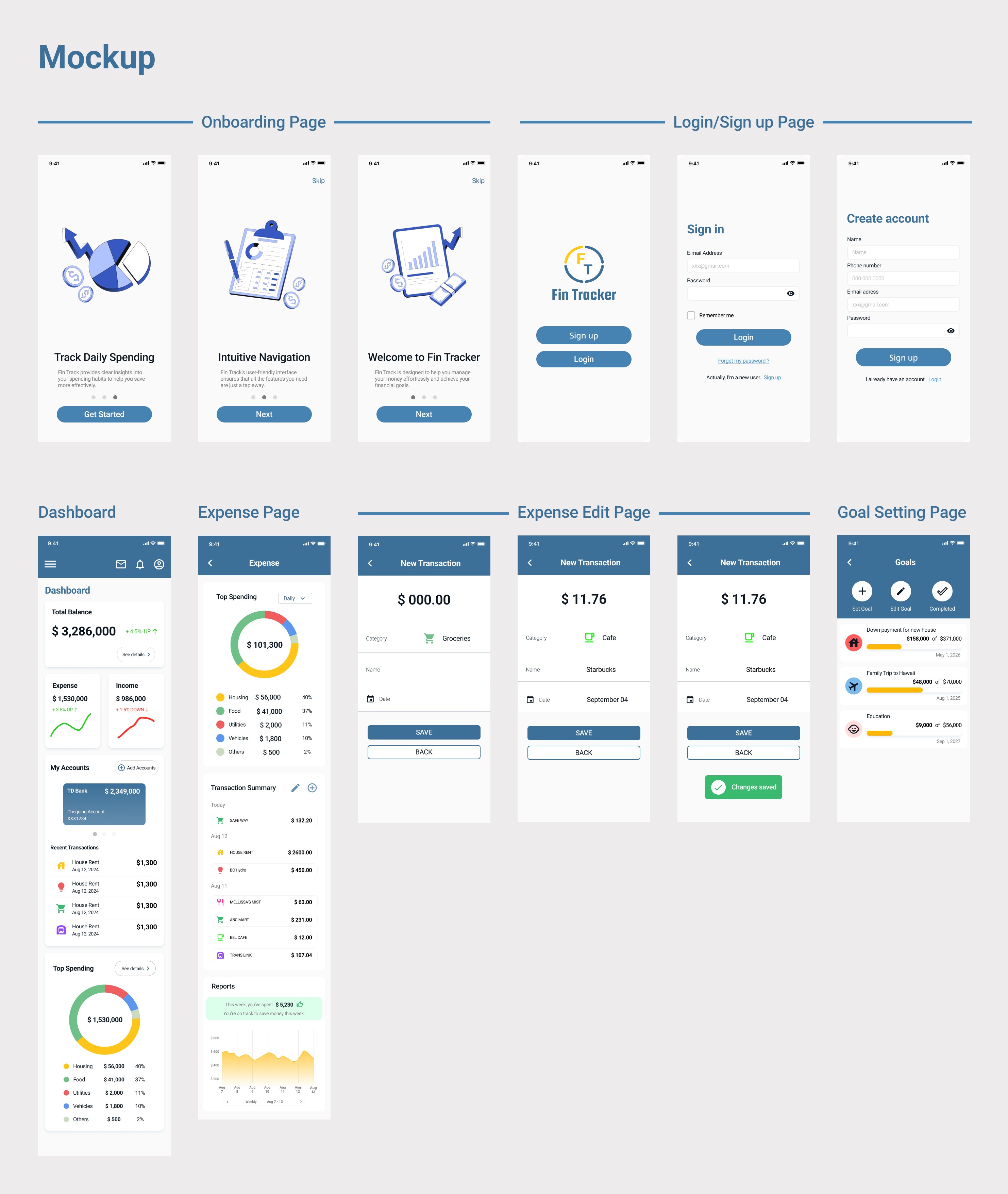
Test
UX Honeycomb
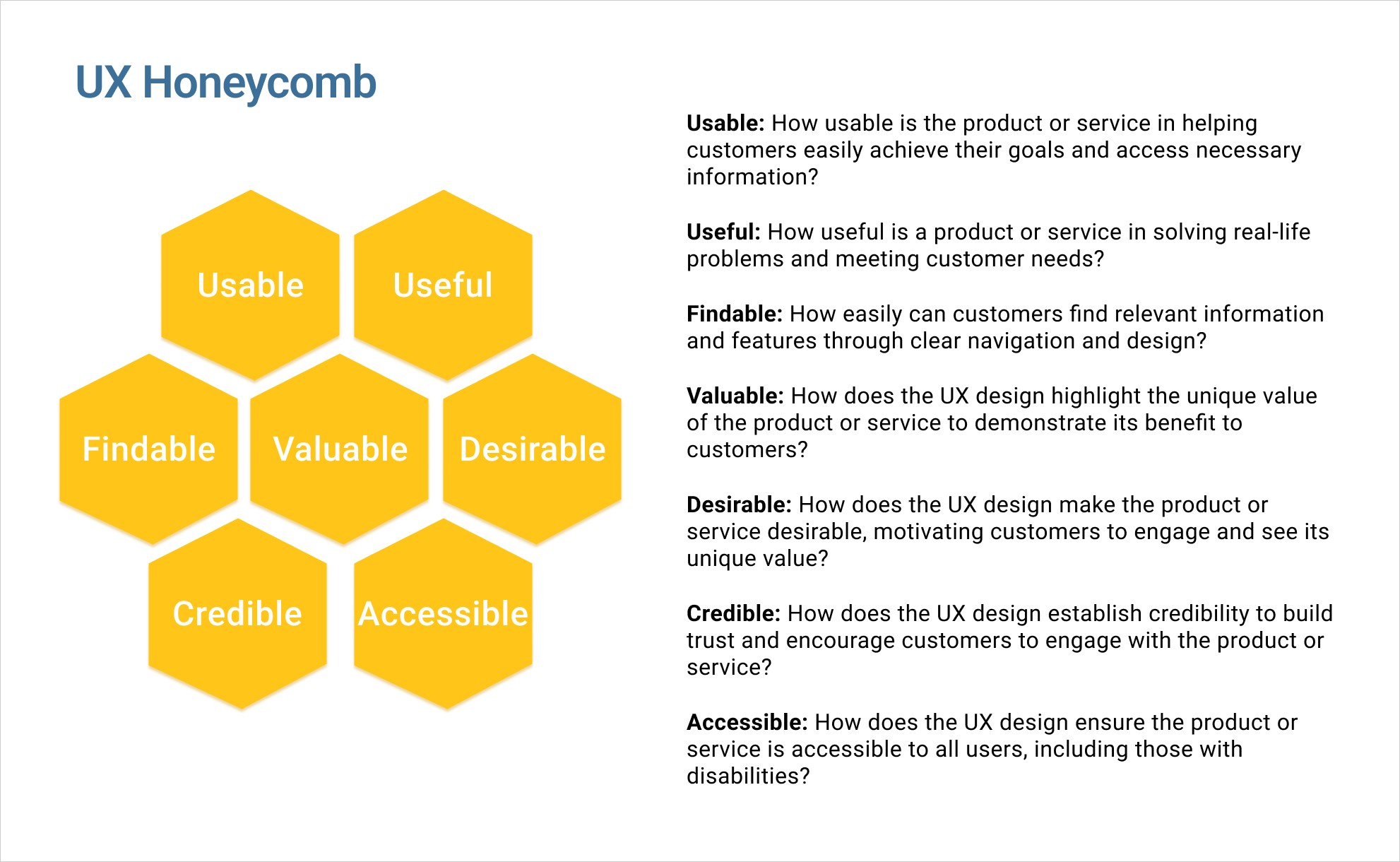
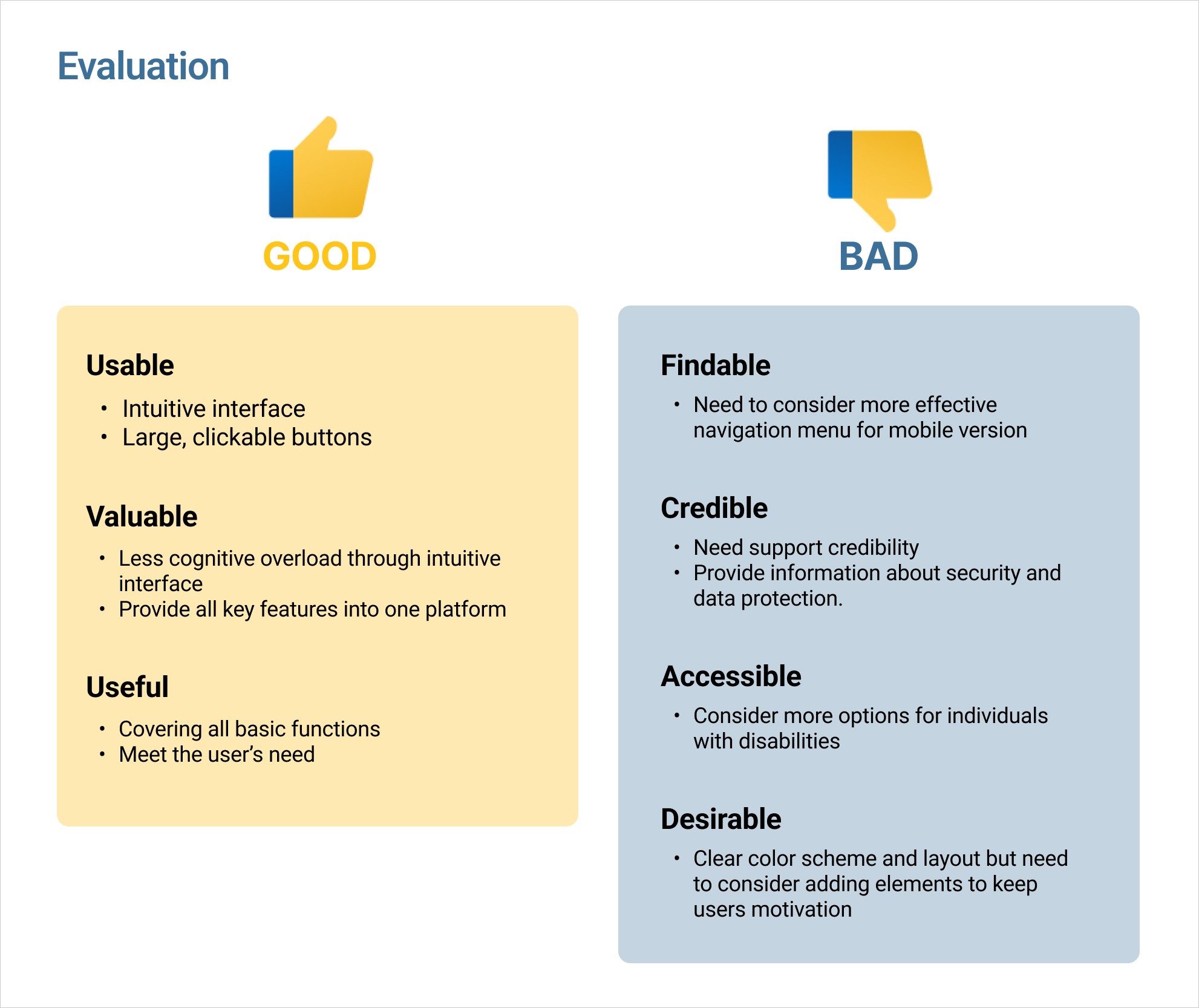
The UX Honeycomb Framework was created by Peter Morville, a pioneer in information architecture and UX. It consists of seven key factors essential for modern website design, representing a balance between business goals, user needs, behavior, and content. Using the UX Honeycomb in my design process, I identified both strengths and areas that needed improvement.
Usability Testing
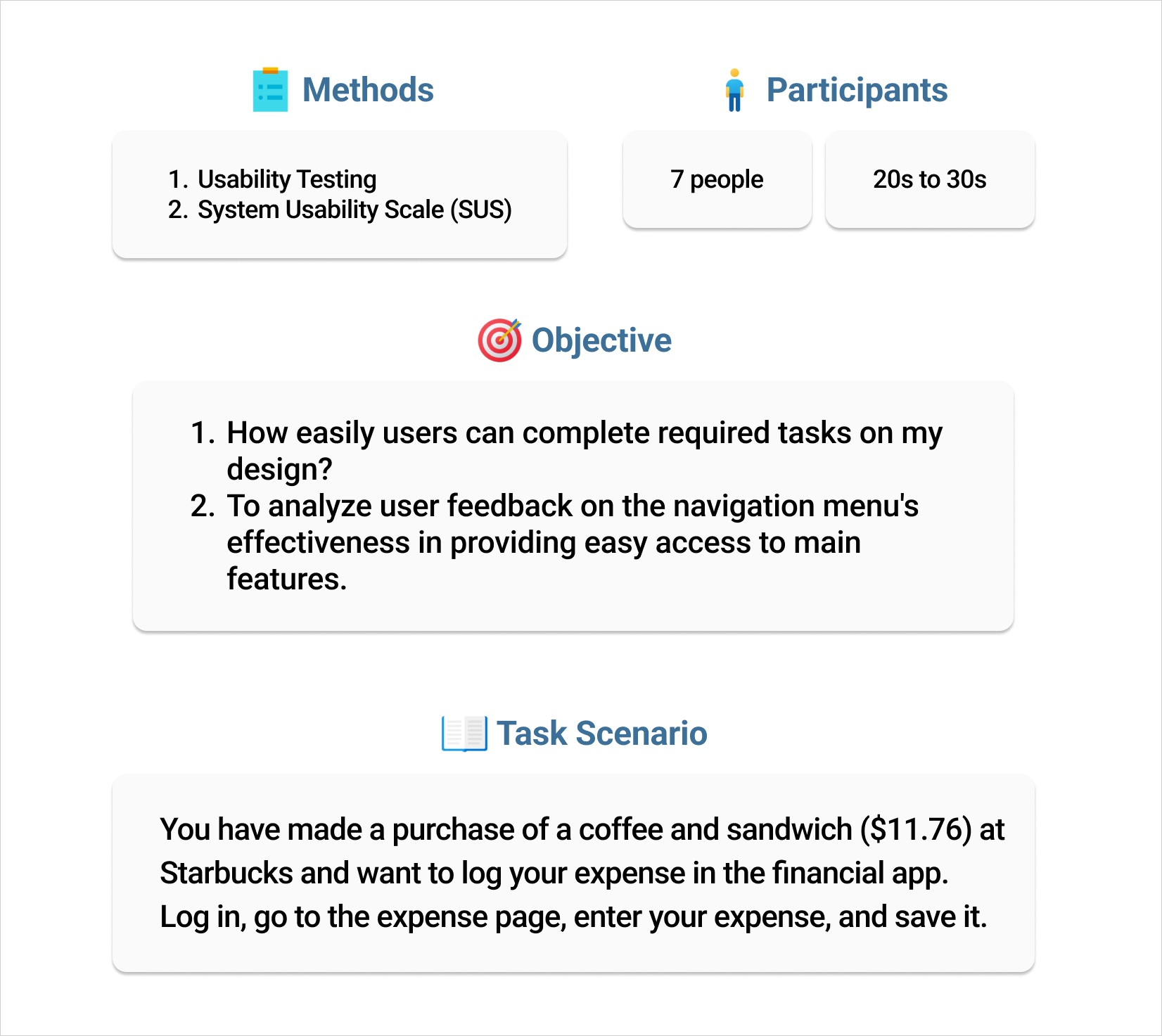
To assess and refine the user experience of my design, I conducted usability testing along with the System Usability Scale (SUS). These methods allowed me to gather valuable insights directly from users.
Key Findings
Task completion rate achieved was 100%.
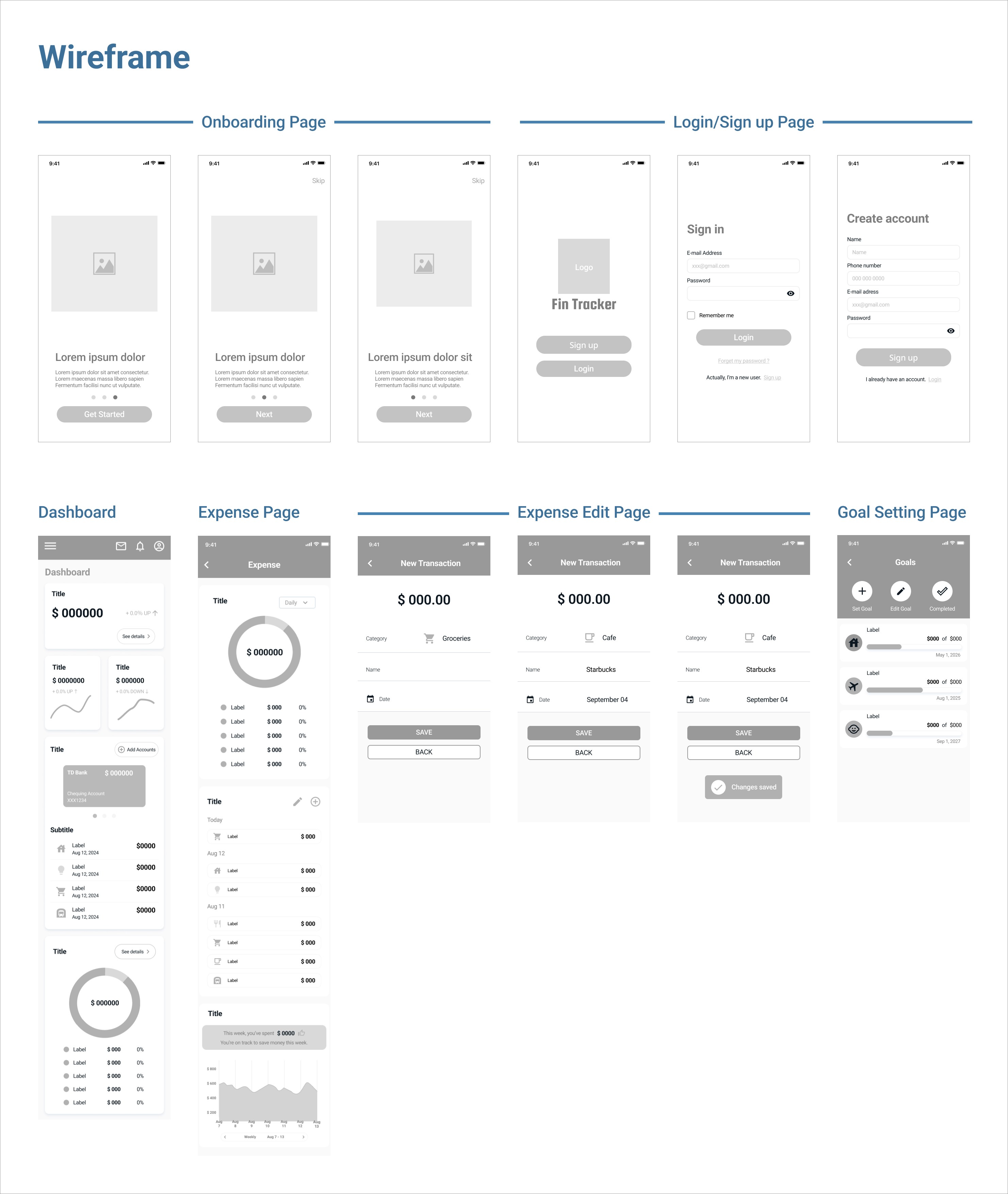
Some participants found the navigation unclear and had difficulty reaching the expense page.
It would be helpful to add a label 'Add' to this button on the expense page for better clarity.
Key Takeaway
Successfully applied the UX Honeycomb framework, usability testing, and System Usability Scale (SUS) to gather valuable feedback and improve the design.
Learned the entire design thinking process, from creating prototypes to conducting user tests, gaining hands-on experience in refining designs.
Discovered unexpected user interactions during testing, providing new insights that enhanced the design's usability and user experience.
Gained a deeper understanding of user behavior and improved problem-solving skills through feedback from diverse perspectives.